
IA strategy & final artwork v1.0 · May 2026

Howsafe
Navigation
Redesign.

A new mega menu, a tabbed mobile drawer, and the IA decisions behind them — built from your traffic and revenue data. Final artwork ready for review.

Prepared for Howsafe Ltd · The Workwear Store
Confidential · For internal review
Context

The current navigation is fighting your customers.

Howsafe stocks 60+ brands across thousands of products. The current navigation puts most of that catalogue behind a single button — making the site work harder than it should for both first-time visitors and returning trade buyers.

01

Catalogue hidden behind "Click to Shop"

The biggest red button on the page reveals the entire product range — but only after a click. New visitors don't realise what's available. Returning buyers add an extra step to every shopping journey.

02

Two parallel menus, both unclear

"Click to Shop" holds products. "Menu" holds a mix of locations, SEO landing pages, and guides. The split isn't intuitive and the Menu dropdown's contents don't follow a single logic.

03

Mega menu real estate isn't earning

Footwear is your highest-traffic and highest-revenue category by a clear margin, but the current navigation gives it equal billing with low-traffic categories like Skincare. The hierarchy doesn't reflect the data.

04

Mobile experience repeats the desktop split

The tabbed drawer (Catalogue / Menu) is mechanically functional but visually dense, and inherits the same IA problems from desktop. Long flat lists on small screens make discovery slow.

Approach

Data first, then structure, then design.

Every decision in this deck is traceable to either GA4 traffic data, revenue data, or a documented business goal. We started with what your customers actually do — not opinions about what they should do.

1

Audit

Captured the full category tree (8 top-level, ~80 leaf categories), audited current nav patterns, identified naming and structural issues.

2

Data

Pulled 90 days of GA4 sessions and revenue per page and per category. Identified the traffic and revenue gradients that drive priority.

3

IA

Locked top-level navbar order, slim utility bar contents, mega menu vs flyout decisions, and what gets promoted vs demoted.

4

Final artwork

Designed all menu states, mobile drawer, and component system in Figma against Develo design tokens. Ready for sign-off.

5

Build & iterate

Hand to dev for Snowdog implementation. A/B test before full rollout. Quarterly hierarchy review against new data.

Data foundation

Footwear is the business. The data is unambiguous.

90 days of GA4 sessions across category pages. The top five category destinations are all Safety Footwear sub-pages — by a margin. Workwear and PPE follow at meaningful but lower volumes. Skincare and Cleaning don't break the top 100.

SAFETY TRAINERS
1,235
Sessions in 90 days. Single highest-traffic category page on the site.
COFRA REVENUE
£7,921
Top-revenue brand by a clear margin. 942 brand-page sessions.
FOOTWEAR TOTAL
3,500+
Combined sessions across the top five footwear sub-pages.
WORKWEAR HUB
358
Sessions to the Workwear landing page — 3.4× lower than the leading footwear page.
Top pages by traffic
PageSessions
Safety Trainers1,235
Safety Boots669
Women's Safety Footwear658
Footwear hub520
All Safety Footwear433
Workwear hub358
Kneepad Trousers332
Top pages by revenue
PageSessionsRevenue
Cofra942£7,921
Portwest1,277£3,763
General Handling Gloves626£2,747
Orn394£992
Hi-Vis Coats814£227
Hi-Vis Vests745£207
Polo Shirts490£207
Information architecture

Six decisions that reshape the navbar.

These structural choices come before any visual design. Each is supported by the data on the previous slide.

Promote Brands
to the navbar
Cofra, Portwest, Orn and other brand-specific pages drive significant traffic and revenue. Cofra · £7.9K · 942 sessions
Brands becomes a top-level navbar item with its own mega menu, replacing the link buried in About.
Demote Skincare, Cleaning
& Eco-Friendly into More
Combined Skincare hub traffic is 79 sessions in 90 days. Cleaning & Janitorial and Eco-Friendly don't appear in the top 100 pages. Hygiene hub · 79 sessions
These three categories move into the More menu on the right of the navbar — visible to users who need them, but no longer competing for primary attention.
Kill "Click to Shop"
The button adds an extra click before customers can browse. With categories visible directly in the main navbar, the button has no remaining job.
Pre-launch A/B testing will validate that removing it doesn't suppress engagement before full rollout.
Mega menu hover-triggered
on desktop
Pattern matches modern e-commerce convention (GoPro, John Lewis, Screwfix). Hover-triggered means catalogue is one motion away rather than one click.
Each category gets its own mega menu shape based on its sub-category structure and traffic gradient.
Slim utility bar
for non-shopping content
A black slim bar above the main navbar holds About, Help & Guides, Find Us, and the phone number.
This separates "shop" from "everything else" without forcing the latter into a single dropdown.
Tabbed mobile drawer,
cleaner than current
Keep the existing Catalogue / Website Menu split — it works mechanically — but redesign the visual treatment, hierarchy markers, and tap targets. Demoted categories visually de-emphasised.
Layout system

Four layout patterns, each chosen by the data.

Not one template stretched across every menu. Different data shapes need different layouts. Each menu uses the pattern that fits what its sub-categories are doing.

Pattern A Footwear · Workwear

Featured photo columns + Browse All + brand row

Three sub-categories with strong traffic earn featured photo columns. Remaining sub-cats listed as a Browse All text column. Category-specific brand row beneath.

Used when: top 3 sub-categories have meaningfully higher traffic than the long tail, and the category is brand-led.

Pattern B PPE · Option A

Equal text columns

All sub-categories given equal weight as text-only columns grouped under headings. Maximises visibility for trade buyers who shop by need.

Used when: sub-cats are similarly important and many in number, and category is need-led not brand-led.

Pattern C PPE · Option B

Image tile grid + Most Popular sidebar

Each sub-category gets an image tile of equal size. A "Most Popular" sidebar surfaces the highest-volume specific sub-categories.

Used when: visual recognition matters more than text scanning, suiting newer customers or premium positioning.

Pattern D Brands · Workplace · Clearance · More

Bespoke per-menu layouts

Each of these has unusual requirements. Brands needs hero tiles + A-Z directory. Clearance needs three promo tiles. Workplace has only two strong sub-cats. More is a compact flyout.

Used when: the category's structure or purpose doesn't fit Patterns A–C cleanly.

Decision needed · Navbar layout

Navbar layout — three options for you to pick.
The IA below is what we're recommending — data-backed, designed to be impactful. The structure is still yours to shape. Same menu structure here, three ways to render it. Each works — pick the one that feels most you.

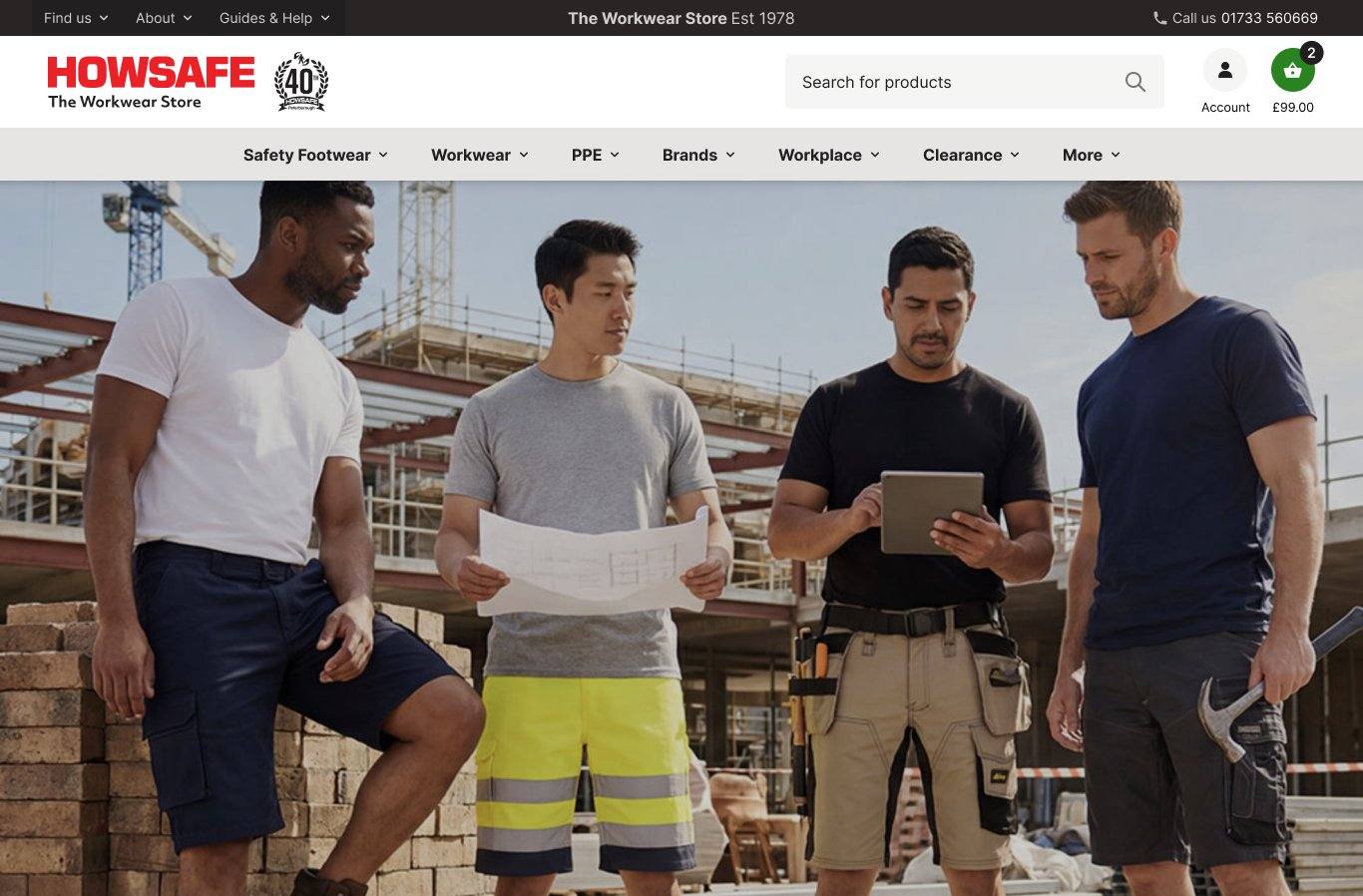
Option 1 Left-aligned, light

Logo and search left, navbar items left-aligned underneath. Familiar layout, follows reading order. Closest to the current site's structure.
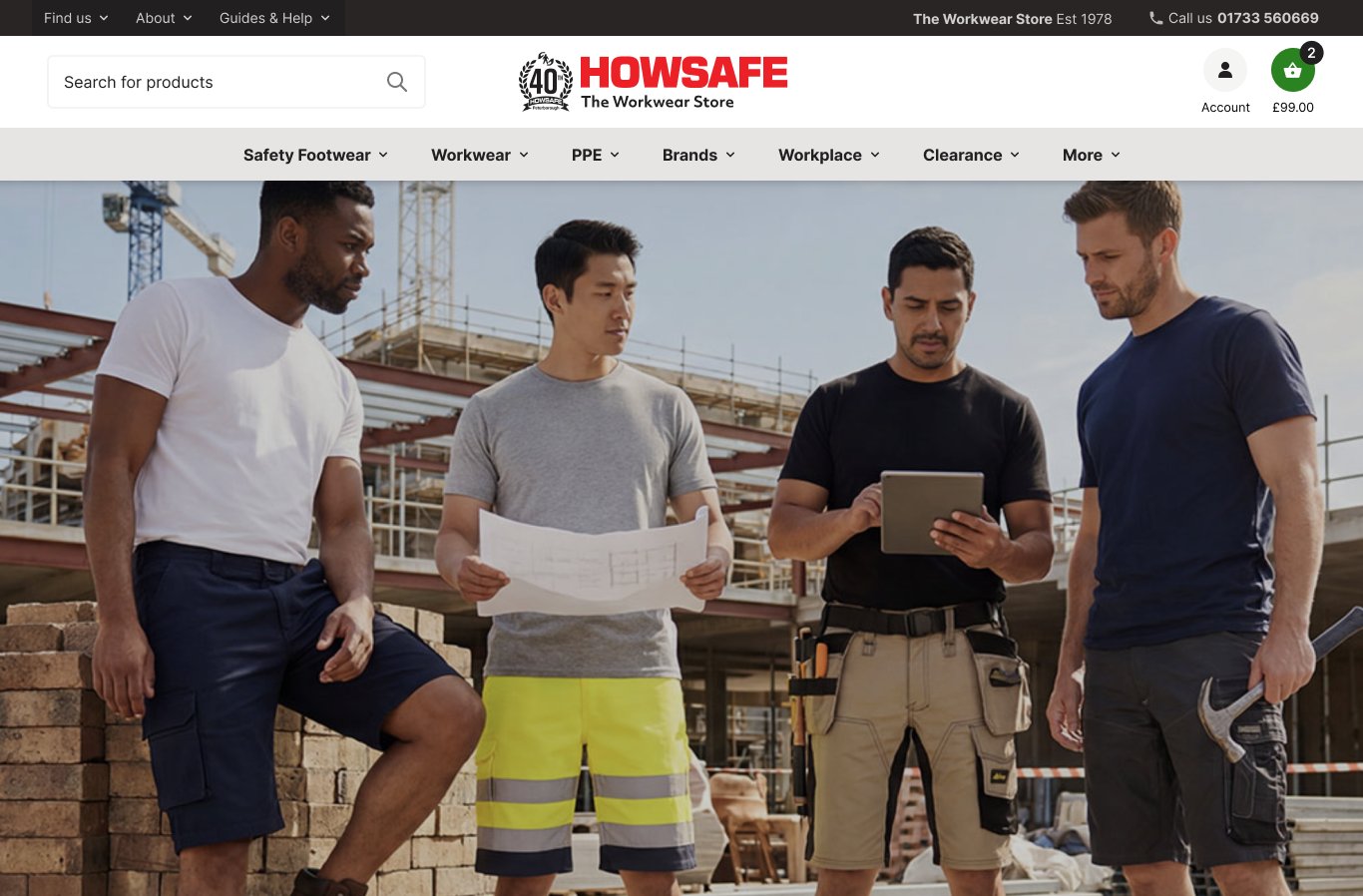
Option 2 Centred, light

Logo centred, navbar centred underneath. More balanced and modern. Reads as a more retail-focused brand.
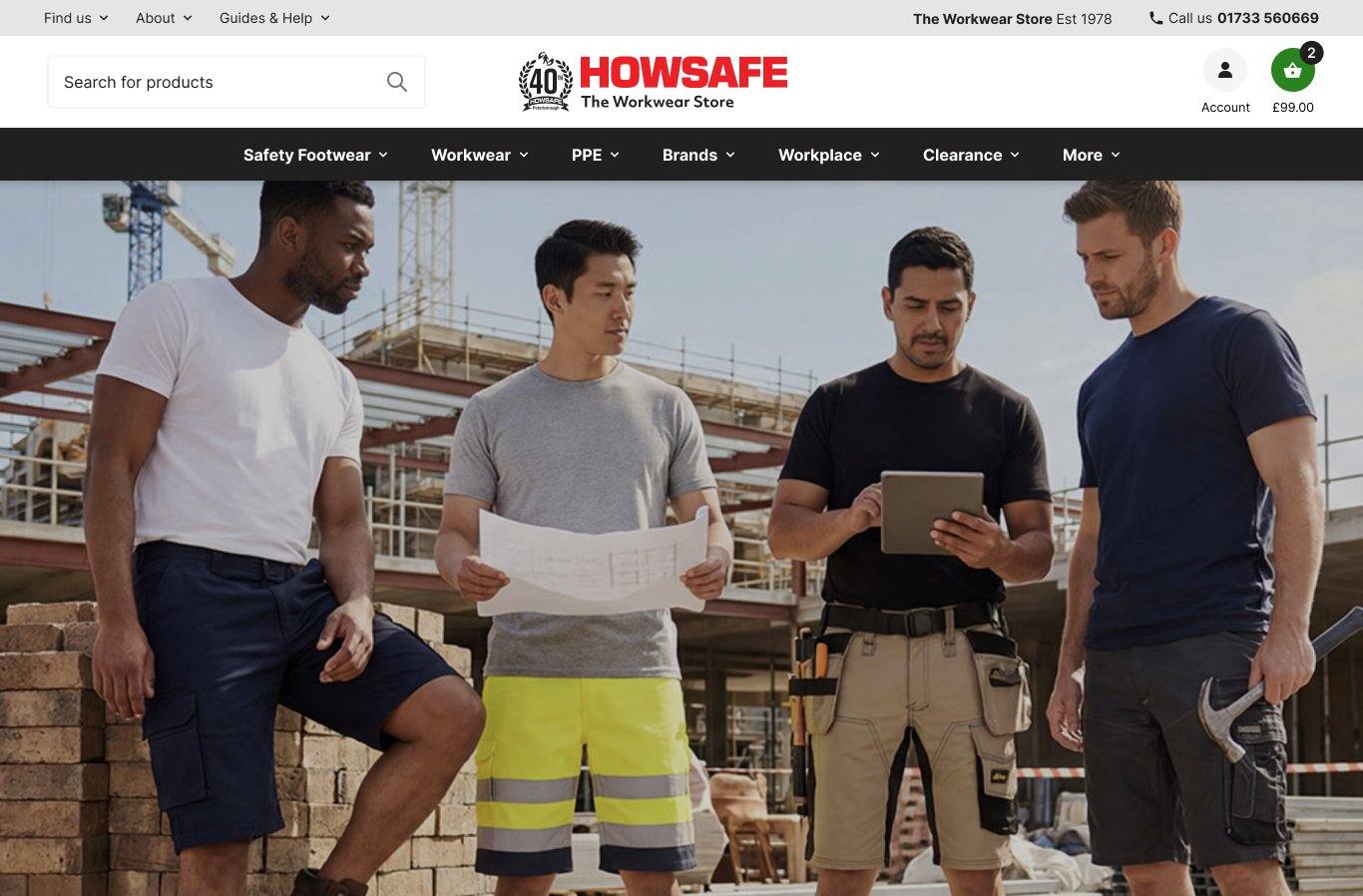
Option 3 Centred, dark navbar

Same layout as Option 2 but the navbar bar itself is dark. Stronger visual anchor, the menu reads as a clear horizontal stripe.

Desktop · before & after

From "Click to Shop" to a navigation that scales with your traffic.
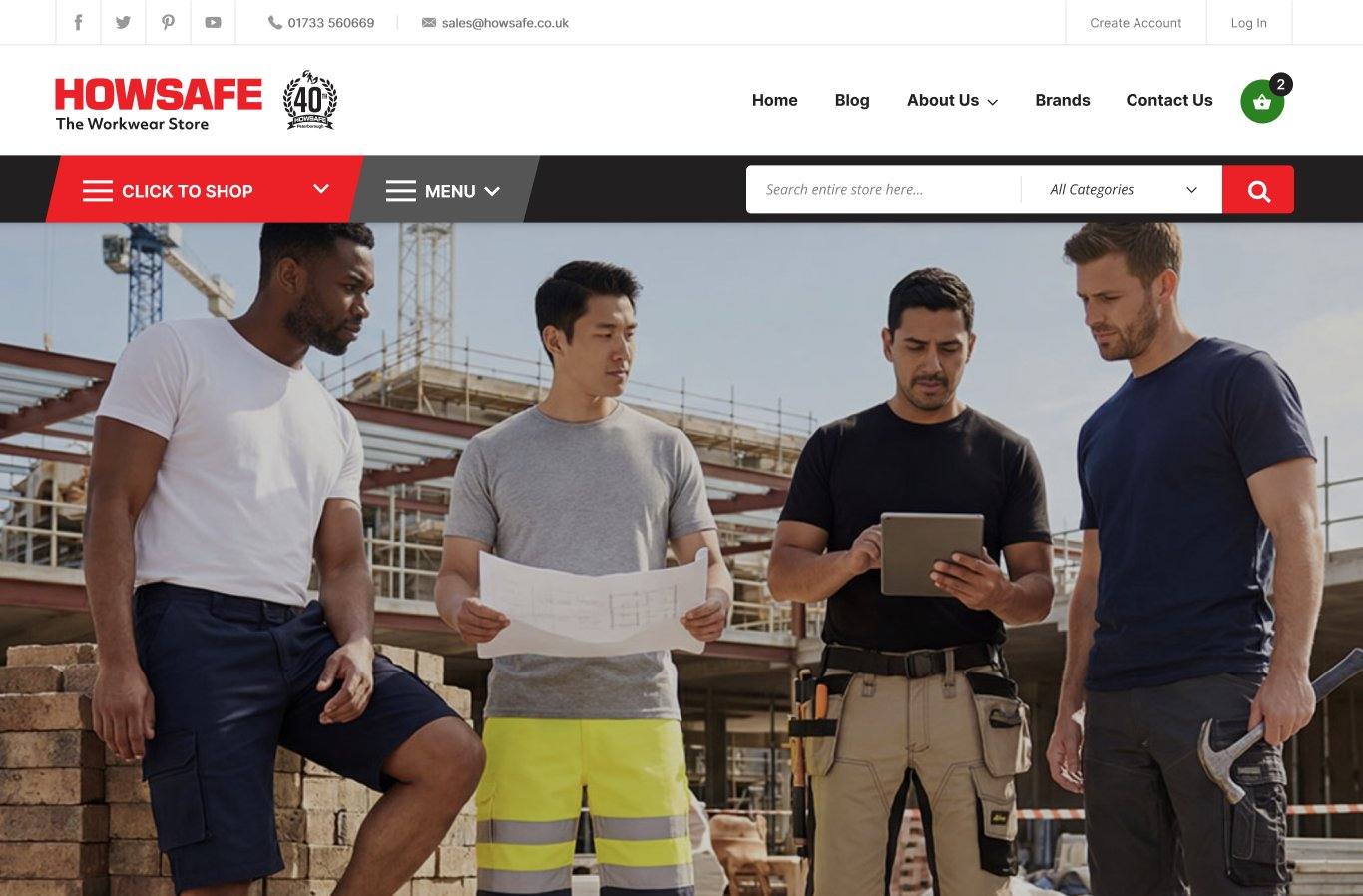
The current site hides 3,500+ products behind a single red button. The redesign exposes the seven top-level categories directly, with each menu shaped by its own data.

Before Today
Current Howsafe site
  • "Click to Shop" hides all 3,500+ products behind one button
  • Top-row navigation reads as marketing pages, not categories
  • No way to see the structure of the catalogue at a glance
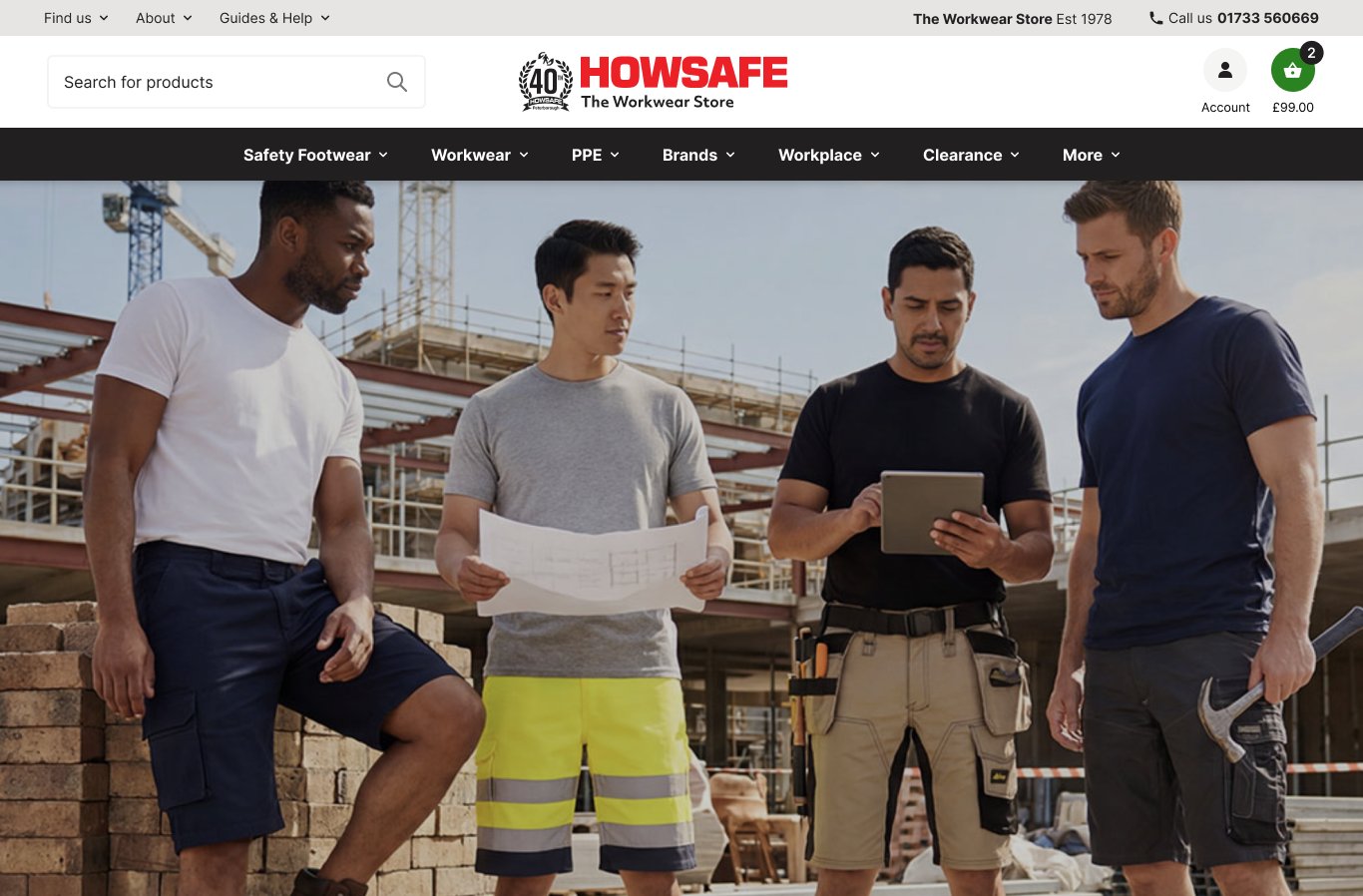
After Redesign
Howsafe redesign
  • Seven top-level categories visible immediately
  • Mega menus surface sub-categories shaped by traffic data
  • Brands surfaced as its own first-class menu, no longer buried
  • Navbar chrome reduced from 222 px to 182 px — ~18% more vertical space for catalogue on every page
Mobile

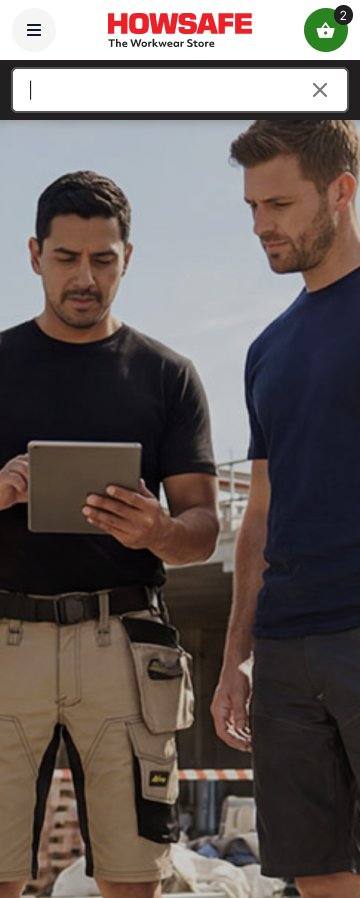
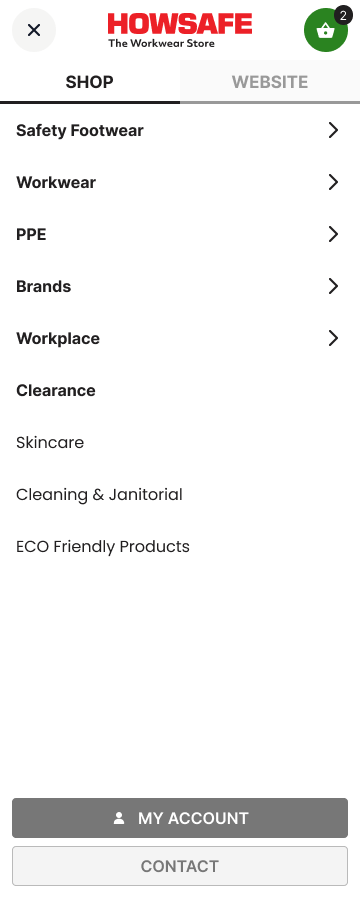
Mobile drawer — same IA, redesigned chrome, persistent account access.
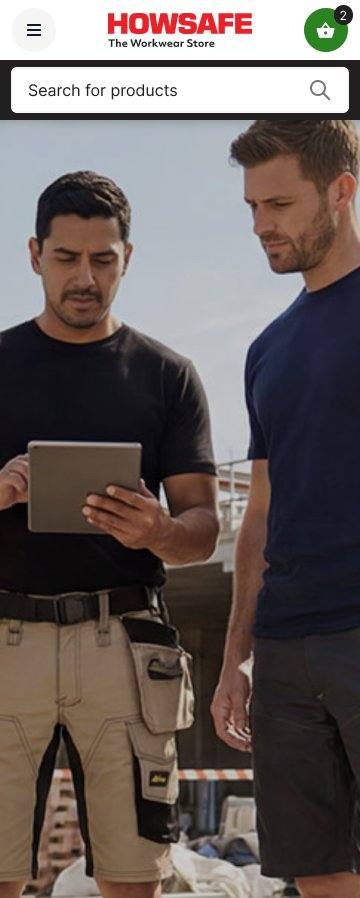
Mobile keeps the existing Shop / Website split — the mechanic works. The Website tab now mirrors the desktop top-bar flyouts in parallel, so anyone moving between desktop and mobile finds the same content in the same place. New persistent My Account / Contact button at the bottom for instant access.

01 · Home
02 · Search active
03 · Shop · L1
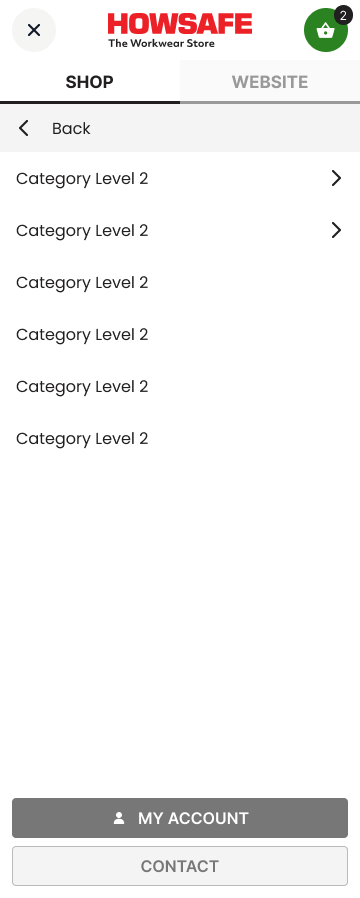
04 · Shop · L2
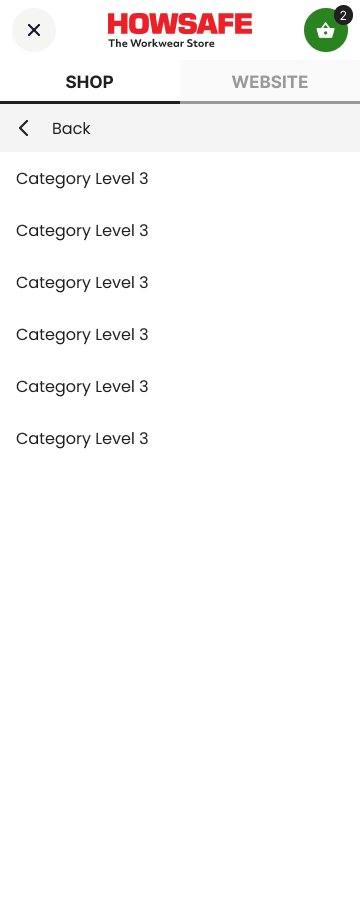
05 · Shop · L3
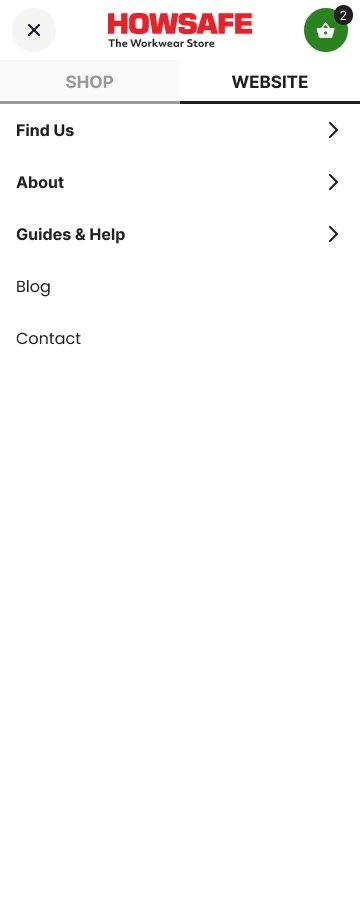
06 · Website · L1
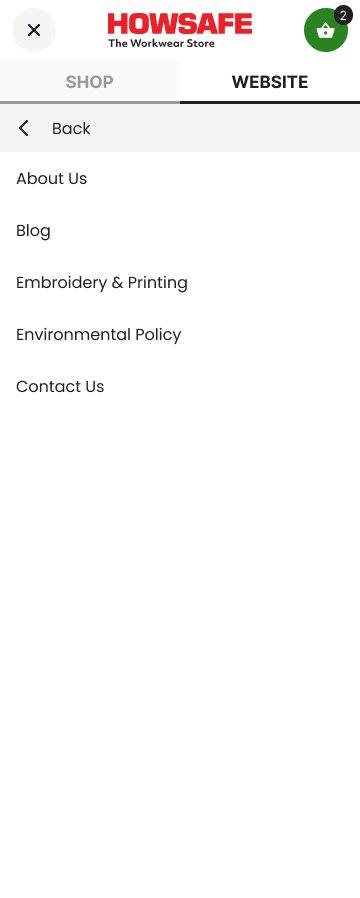
07 · Website · L2
Mobile · before & after

Mobile keeps what works, sharpens what doesn't.
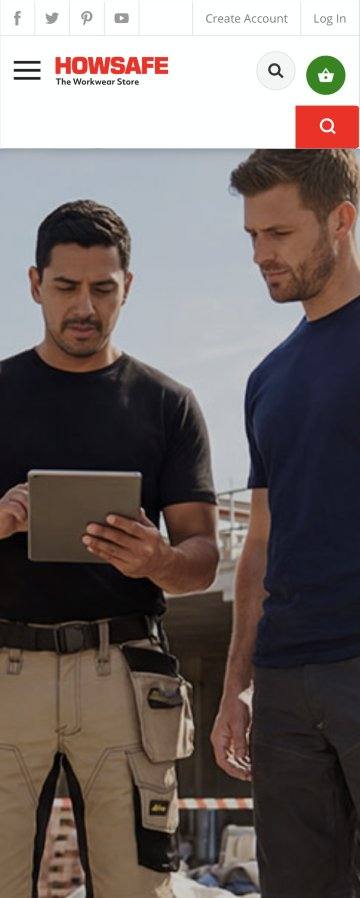
The tab pattern was the right call originally — we kept it. What we changed: the tab order, the Website tab's structure to mirror desktop flyouts, hierarchy markers throughout, and a persistent My Account / Contact button.

Before Today
Current Howsafe mobile
What changed
Tab order matched to desktop

Website tab's contents now mirror the desktop top-bar flyouts (Find Us, About, Help & Guides). Anyone switching device finds the same content in the same place.

Hierarchy markers throughout

Three drill-down levels in Shop (L1 → L2 → L3) and two in Website. Active tab clearly indicated. Demoted categories visually de-emphasised.

My Account / Contact persistent

Always accessible at the bottom of the drawer regardless of which tab or level — instead of being buried inside the Website tab.

Chrome shrunk from 149 px to 120 px

~19% less mobile chrome, ~29 px more catalogue visible above the fold. Search bar, account and basket still persistent across all states. Cleaner header, larger tap targets.
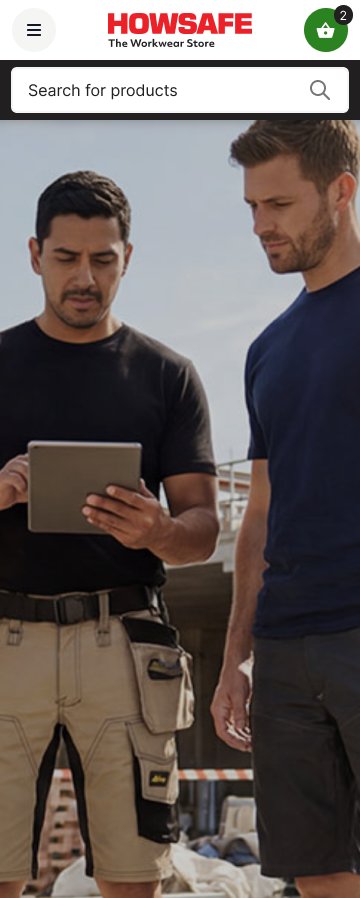
After Redesign
Howsafe mobile redesign
Top utility bar

Three flyouts, one phone number — non-shopping content lives up here.
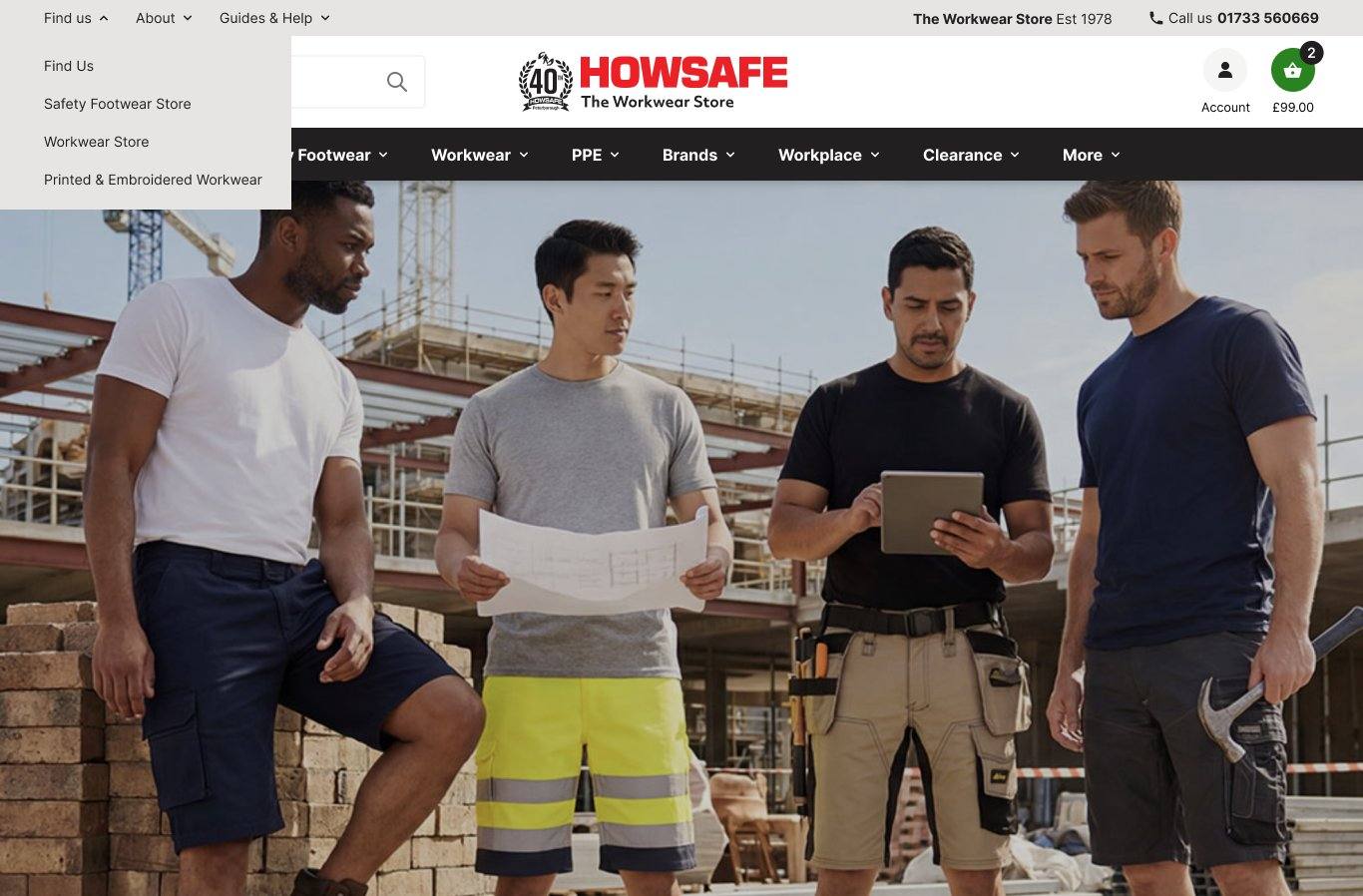
Find Us

Workwear Store, Safety Footwear Store, Printed & Embroidered Workwear — local-SEO landing pages live here.

About

About Us, Embroidery & Printing, Environmental Policy, Blog, Contact Us. Anything "about Howsafe as a company".

Help & Guides

Footwear Sizing, Standards, Toe Cap Guide, Industrial Work Gloves, DTF Printing for Events. Content marketing surfaces naturally.

Removed

Email and social icons removed from top bar — they live in the footer only. Cleaner.

Pattern A · Menu 1 of 7

Safety Footwear — your highest-traffic category, designed accordingly.
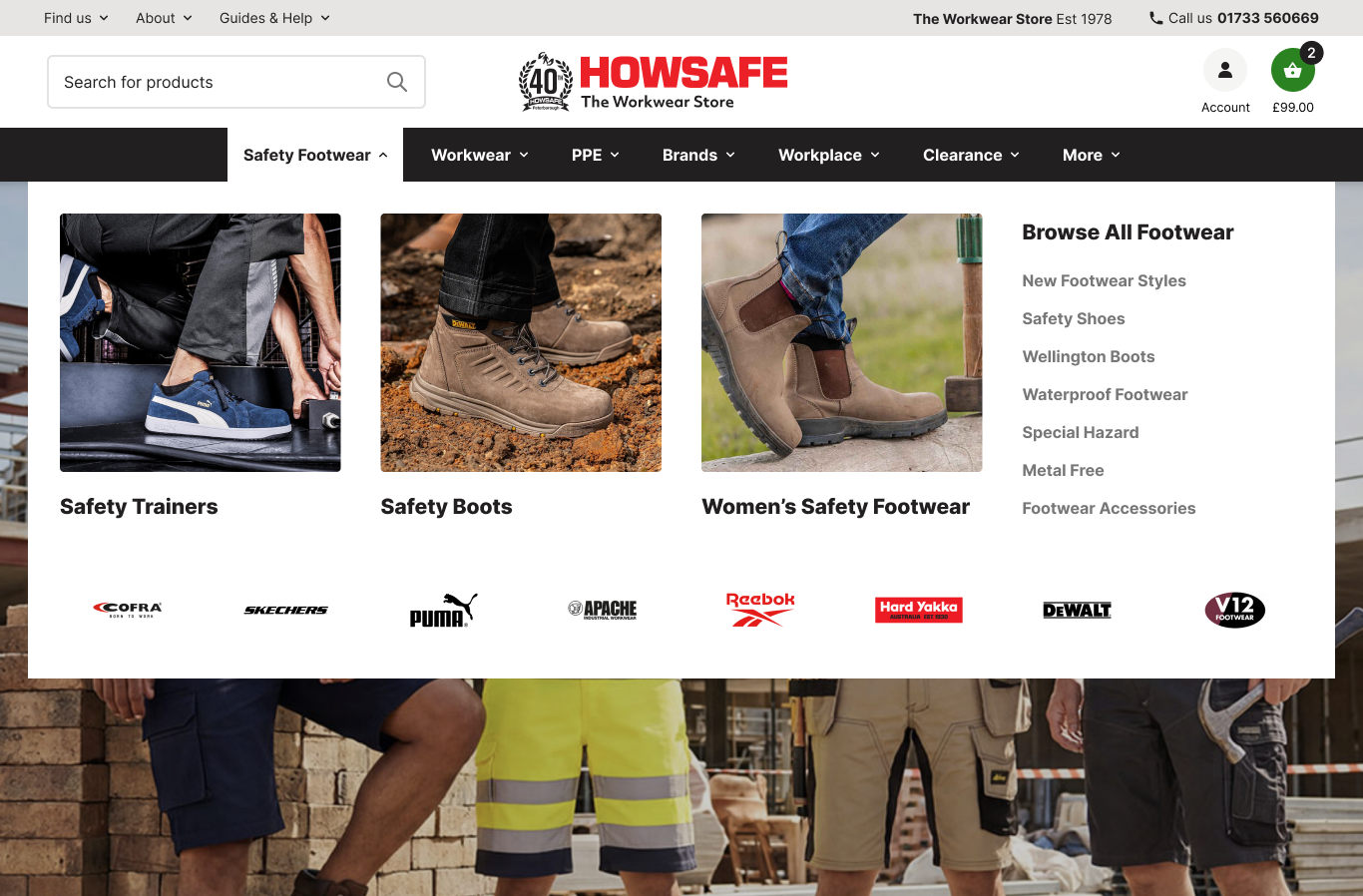
Why this layout

Three featured photo columns — Trainers, Boots, Women's — chosen because they're the top three traffic destinations by a clear margin.

Featured selection
Safety Trainers1,235
Safety Boots669
Women's Safety658
90-day GA4 sessions
Brand row

Eight footwear brands ordered by revenue. Cofra leads at £7.9K.

Pattern A · Menu 2 of 7

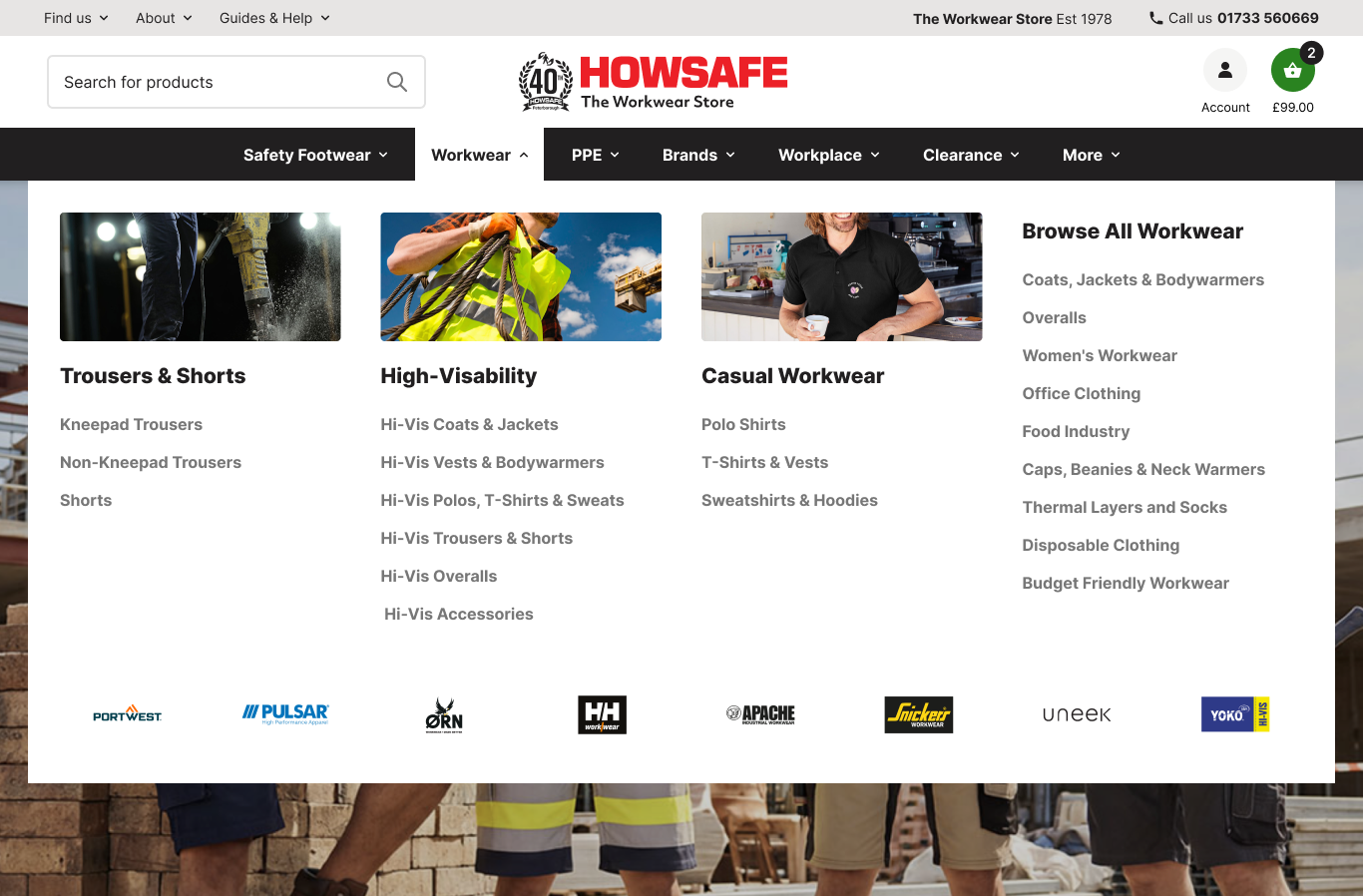
Workwear — twelve sub-categories, three earn featured treatment.
Why this layout

Trousers and Hi-Vis dominate workwear traffic. Each gets a featured photo column with sub-categories listed inline.

Why these three columns earn the featured treatment
Trousers & Shorts332
Kneepad Trousers alone — the top workwear sub-category
High-Visability277 + 196
Hi-Vis Coats & Jackets and Hi-Vis Sweatshirts both in your top 15
Casual Workwear174
Polo Shirts — the leading non-Hi-Vis casual line
90-day GA4 sessions · everything else sits in "Browse All Workwear"
Brand row — workwear-specific

Different brands than Footwear. Portwest leads at £3.8K. Pulsar, Orn, Helly Hansen Workwear follow.

Pattern B · Menu 3 of 7 · Option A

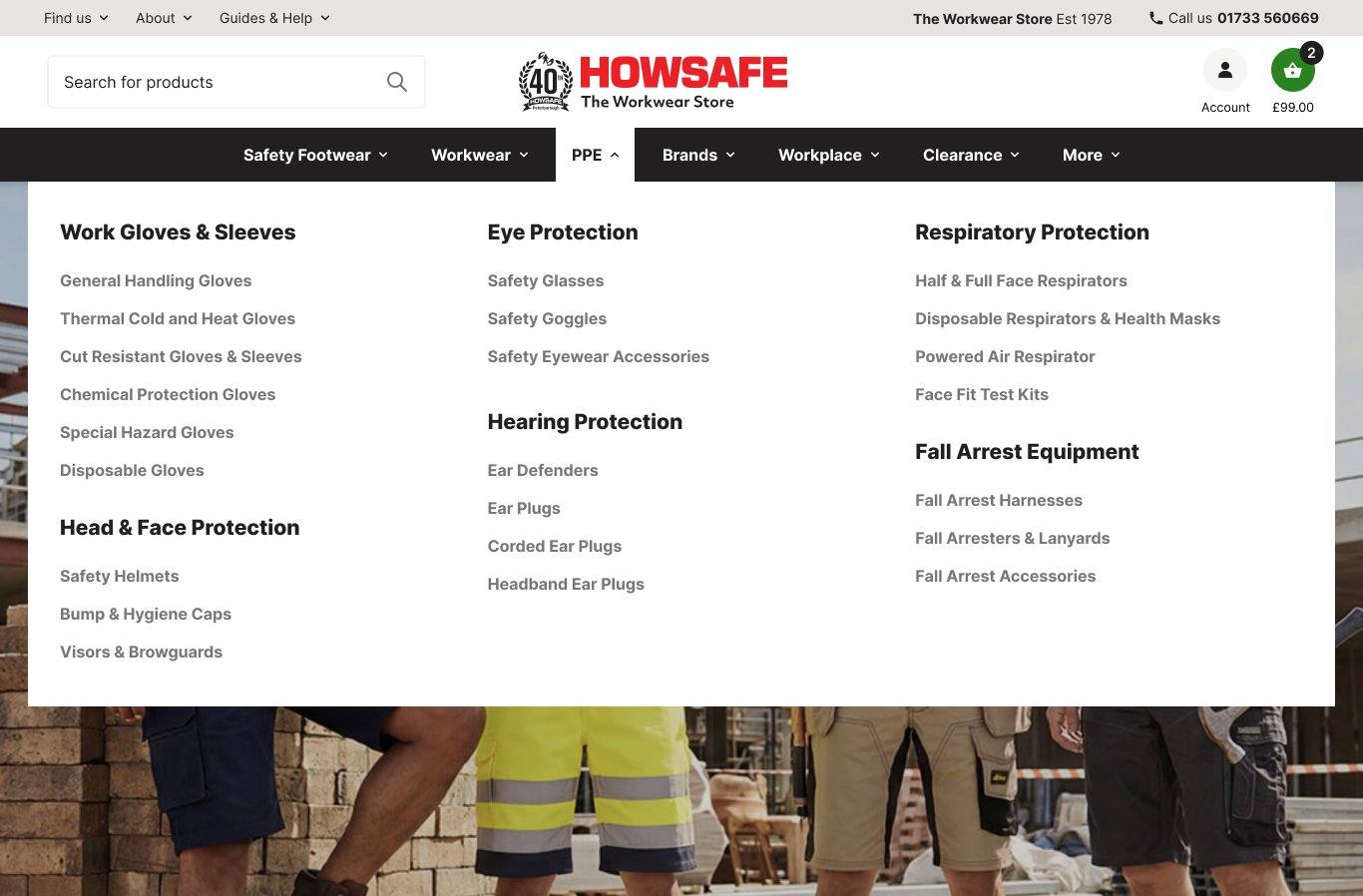
PPE Option A — text columns, fast to scan.
Strengths
  • All 22 sub-categories visible immediately
  • Trade buyers reach sub-category in one click
  • No photo curation required — low maintenance
  • Translates cleanly to mobile accordion
Trade-offs
  • Less visual interest — text doing the work
  • Newer customers may struggle to recognise category by name alone
Pattern C · Menu 3 of 7 · Option B

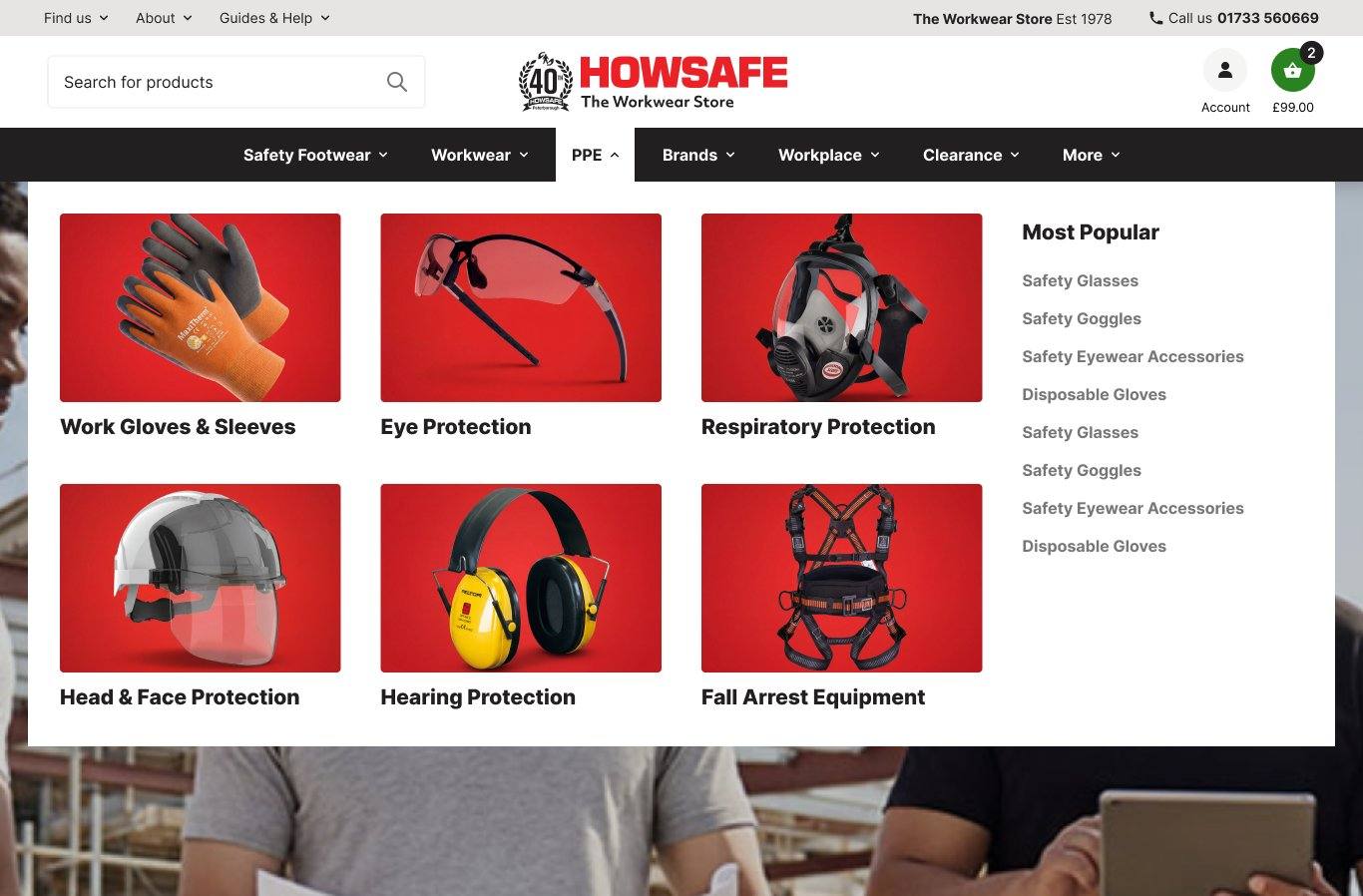
PPE Option B — image tiles, faster recognition.
Strengths
  • Image registers faster than text label
  • Premium feel, suits new customer acquisition
  • Most Popular sidebar surfaces volume sub-cats
  • Distinctive vs trade-supplier competitors
Trade-offs
  • Trade buyers add a click to reach sub-cat
  • Photo curation maintained over time as range evolves
On assets

You already have imagery for every PPE grouping — this would be a curation job, not a new shoot.

For your decision

PPE is the only menu where data doesn't dictate one pattern. The choice depends on positioning — trade catalogue (A) or premium retailer (B).

Pattern D · Menu 4 of 7 · Brands surfaced

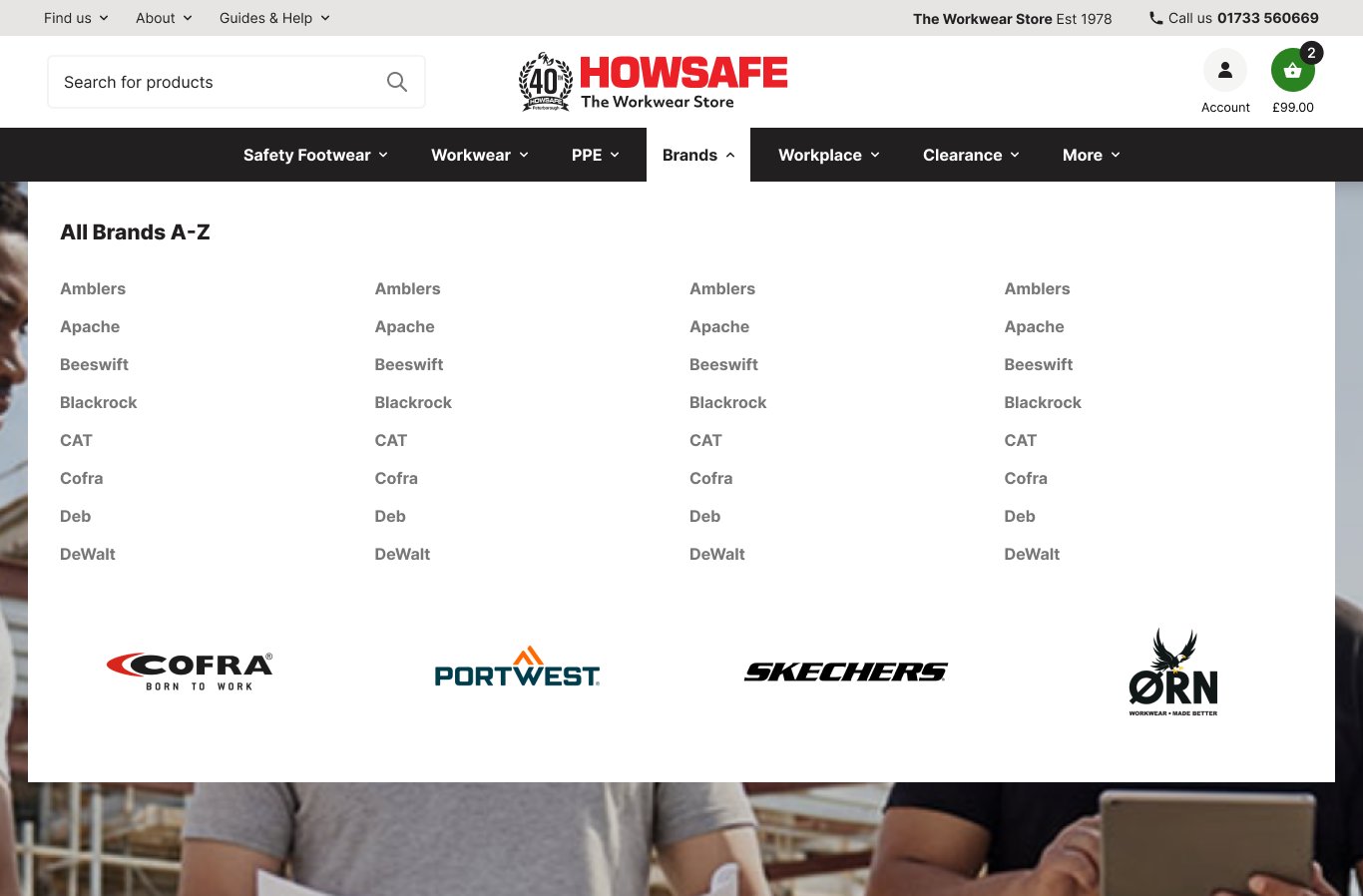
Brands — same top-level entry, but no longer buried behind the catalogue.
Structural change

Brands was already a top-level link, but it sat outside the shop and took multiple clicks to reach. The redesign makes it a first-class navbar item with its own mega menu — you have 60+ brands and brand-led shopping is one of the strongest signals in your GA4 data.

Why this layout

Hero brand tiles for visual recognition, full A-Z text grid for buyers who already know the brand they want.

Top brands by revenue
Cofra£7.9K
Portwest£3.8K
Skechers£1.4K
Orn£992
Pattern D · Menu 5 of 7

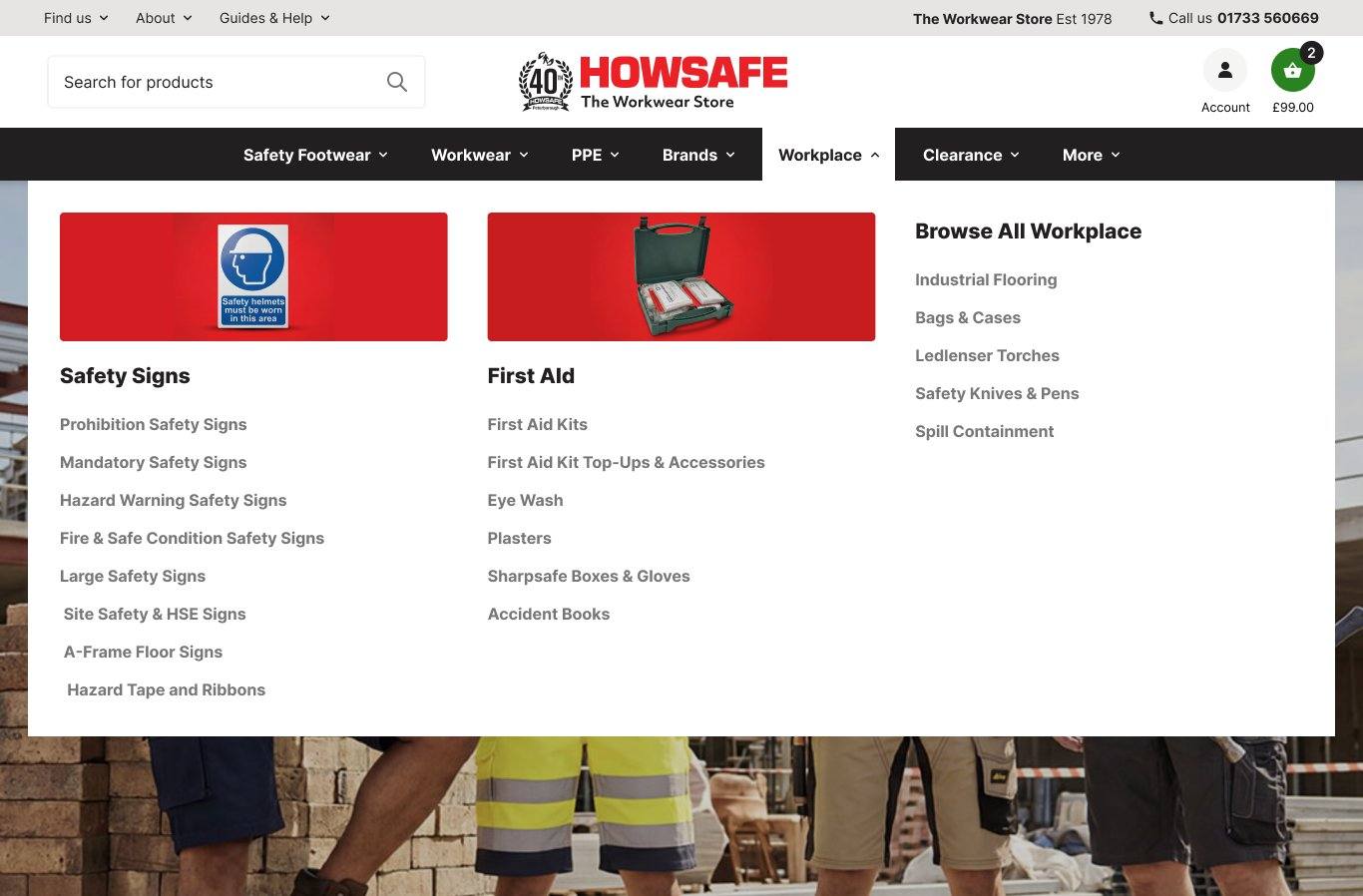
Workplace — two featured columns, supporting categories alongside.
Why this layout

Safety Signs and First Aid have the most depth of sub-categories. Both get a featured photo with sub-cats inline. Five remaining workplace lines as a Browse All column.

No brand row

Workplace categories aren't strongly brand-led — buyers shop by need (compliance, safety) not brand preference.

Use case

Compliance-driven purchases. Signs and First Aid are volume sellers; Industrial Flooring, Spill Containment serve specific job-site needs.

Pattern D · Menus 6 & 7 of 7

Clearance keeps prominence. More quietly demotes low-traffic categories.
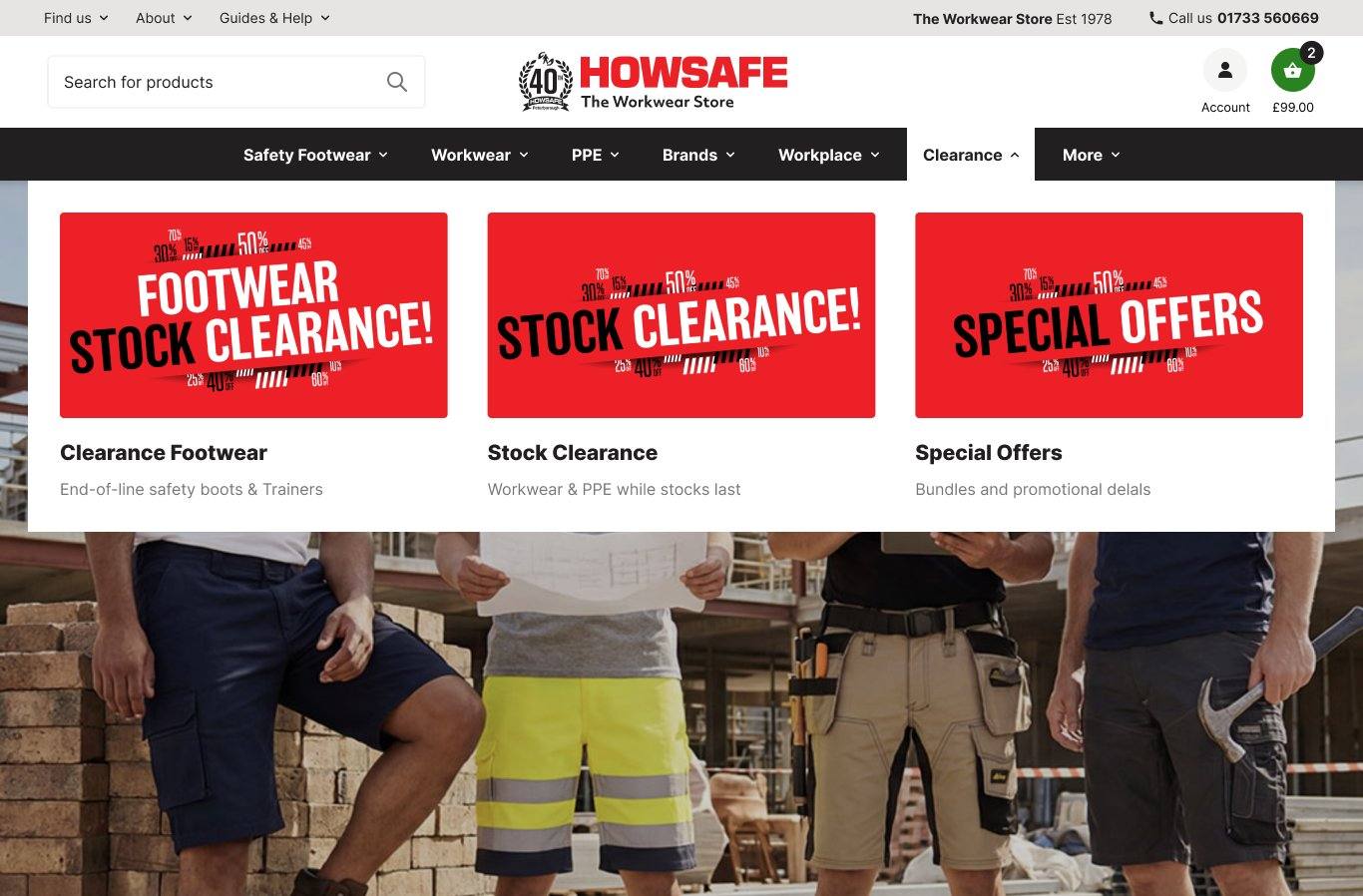
Clearance

Three landing destinations

Clearance Footwear, Stock Clearance, Special Offers — bargain hunters get a clear path. Promotional artwork carries the visual energy.
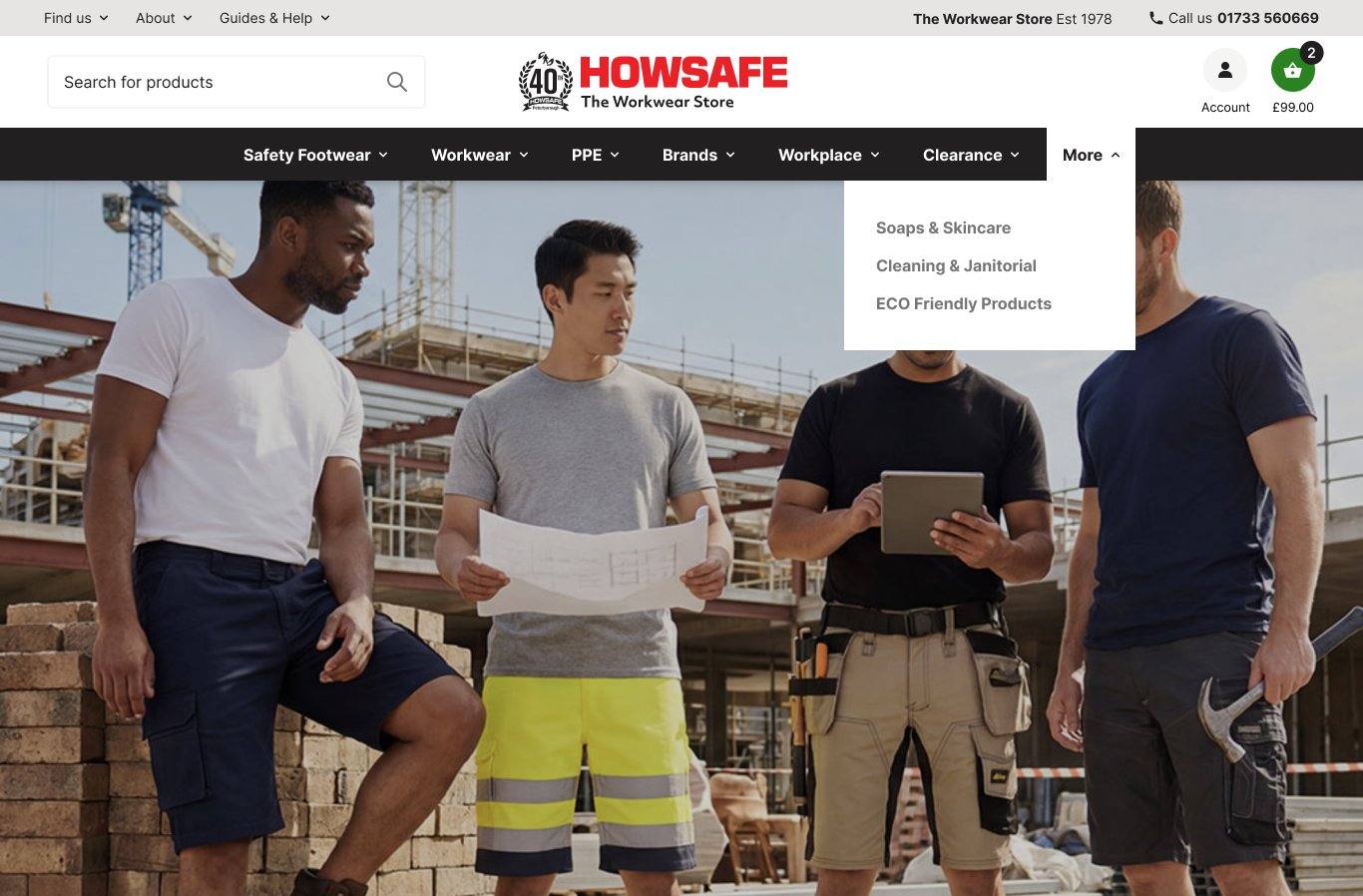
More — structural change

Skincare, Cleaning & Eco-Friendly move in here

All three were top-level categories competing for navbar real-estate, but the data doesn't support it — combined Skincare hub is 79 sessions in 90 days; Cleaning and Eco-Friendly aren't in the top 100. They keep a stable home in More. Reversible if any grow.

Handover

What your team will own once this ships.

We're not just delivering a fixed design — we're installing Snowdog Pro, which means the menu becomes yours to curate. These are the inputs your team will be making once it's live, plus what we need from you to get there.

Curated by you

Featured tile imagery

You have product photography across thousands of SKUs. Through Snowdog Pro you'll pick which images go in featured tiles per category. They'll need to fit the new tile crops (4:3 for square tiles, 16:10 for Workplace) — re-cropping existing imagery rather than new shoots.

Curated by you

Hero brand selection per category

Look at your brand-by-category revenue data and decide which brands deserve hero placement in each menu. We've made an opening recommendation based on overall revenue — refine it once you can see the per-category picture.

Already sorted

Brand logos

We're using the brand logos already on howsafe.co.uk/brands as our source — they're correct and on-brand. A handful may need re-cropping to fit the 5:2 tile ratio cleanly, but the asset library itself is fine.

From you

Feedback & sign-off

PPE Option A vs B decision. Navbar layout choice (left / centre / dark). SEO sign-off on the removal of "Click to Shop" and the new mega-menu markup. Anything else where your team's view should override our recommendation.

Validation & measurement

Measure the impact, refine over time.

A site-wide navigation change isn't a clean A/B test — every visitor experiences it, and the gains compound across categories. The honest approach is before-vs-after measurement against your existing baselines, then a continuous refinement programme.

Why we suggest measuring this

A change of this scope is significant — it touches every visitor and every category. We expect lifts in the headline business metrics, driven by these three navigation signals:

Navbar CTR Is the new structure more findable?
Time-to-PDP Fewer clicks from landing to a product page?
Search vs browse Are people browsing more confidently?
Where we'd expect that to show up

Three headline numbers, captured before launch, re-measured after the 4-week window. Not a forecast — a frame.

Metric Before · 90d After · 4wk Δ
Conversion rate TBD
Revenue TBD
AOV TBD
Baseline captured pre-launch with Howsafe. After-state filled post 4-week measurement window.
At launch

Before vs after baseline.

Capture 4 weeks pre-launch on the metrics above. Compare the same 4 weeks after — that's your impact number, built from your traffic.

Monthly

Refine until it settles.

For three to six months, expect small adjustments — featured tiles that under-deliver, sub-categories in the wrong group, brands earning more prominence.

Seasonal

Adjust to your year.

Workwear shifts seasonally — thermal layers Oct–Feb, casual workwear stronger in summer. Each quarter, swap featured tiles to match.

A/B testing — where it does fit

A/B testing the navigation as a whole isn't realistic, but the questions it raises are testable: PPE Option A vs B, brand row vs no brand row, featured tile selection, banner / search / homepage layouts. One or two of these per quarter once the new navigation is settled.

Beyond launch

A navigation that improves with your data.

The hierarchy in this deck reflects today's traffic and revenue. Categories grow and shrink. Seasonal patterns shift the picture. We propose a quarterly review cycle — keep the navigation aligned with what your customers actually want to buy.

01
Pull fresh data

90 days of GA4 sessions and revenue across categories, sub-categories, and brands.

02
Re-score

Apply the same scoring framework. Identify movers — categories rising, falling, holding.

03
Adjust featured tiles

Swap photo headers, brand row contents, and "Most Popular" lists based on the latest data.

04
Promote / demote

If a "More" category grows, promote it. If a navbar item declines significantly, consider demoting.

What changes seasonally

Workwear shifts most — thermal layers spike Oct–Feb, Hi-Vis steady year-round, casual workwear stronger in summer. Footwear is more stable. PPE category mix tracks industry buying cycles.

A static navigation can't reflect this. A reviewed navigation can.

Proposal
Quarterly navigation health check

A short data + recommendations report each quarter. Light-touch implementation. Keeps the work we've done here paying back over time.

Beyond navigation

Some other things we noticed.

We've focused on navigation, so we haven't been into checkout, purchase flow, or product detail in any depth. Within scope, two areas stood out as worth a deeper look — not a definitive next-priority list, just what we spotted along the way.

Observation 1 High-intent traffic

Site search.

Search users typically convert at multiples of browse users — they already know what they want. The search box, suggestions, results layout, and empty-state behaviour all looked like they could earn more from the same traffic. Worth a proper audit.

What that might look like
  • Auto-suggest with category and brand groupings, not just product names
  • Faceted results — size, brand, certification, price filters surfaced
  • "Did you mean / no exact match" handling that keeps customers on site
Observation 2 Front-door discovery

Home page banner & widgets.

The homepage hero is a 5-slide rotation; the brand strip is also on rotation. There may be room for the homepage to do more active merchandising — flexible banners and reorderable widgets that follow seasonality, stock, and the brand revenue picture.

What that might look like
  • A static hero refreshed weekly, instead of a 5-slide rotation
  • Brand strip populated by the top 8 brands by revenue per top-level category — Cofra, Skechers and others for footwear; Portwest, Pulsar, Orn and others for workwear — instead of a generic rotation
  • Discovery widgets: Trending sub-categories, Bestsellers, editorial blocks for new ranges
Worth saying out loud

These are the two we noticed during this scope of work — there's almost certainly more we haven't seen. With time to look properly (checkout, PDP, purchase flow, post-purchase) we'd come back with a real prioritised list.

Ideas that surfaced

Test ideas that surfaced whilst working on this project.

Not a comprehensive list — these are ideas that came out of the navigation data, not a full audit. With a project to do this properly we'd score them, find others, and come back with what's actually worth running first.

# Test Hypothesis What we'd measure
1 Static hero vs 5-slide rotation
Refreshed weekly or bi-weekly
Slides 4 and 5 of a rotation get vanishingly low impressions. A single curated banner — refreshed weekly tied to seasonality, stock, and brand revenue — gets every visitor's attention. Hero CTR · homepage→PDP rate · conversion
2 Hero composition: brand-led vs service-led
Cofra at £8.41 / session
Cofra is your highest-yielding brand. A brand-led hero may outperform a service feature like foot measuring or embroidery. Worth testing which message earns the slot. Homepage→brand-page rate · attributed brand revenue
3 Brand presence: fixed top-8 grid
Replaces rotating brand strip
Rotation hides revenue-driving brands. A fixed grid of your top 8 — Cofra, Portwest, Skechers, Orn and so on — gives them permanent visibility on every page load. Brand-strip CTR · brand-page sessions · attributed revenue
4 Hi-Vis Coats — yield diagnosis
814 sessions, only £227 revenue
A 30× yield gap vs Cofra. The traffic is real — the conversion isn't. Page-level investigation: pricing, stock, photography, sizing, trust badges. Likely a quick win once the leak is found. Conversion rate · exit rate · AOV
5 Promote General Handling Gloves
£4.39 / session — strong yield
The category converts well already. Test featuring it more prominently — within the PPE mega menu's featured tiles, or as a homepage promotion — to see if the yield holds at higher volume. Sub-category sessions · conversion rate · glove AOV
If there's a project here

Give us a scope to do this properly and we'd run a real audit, score the tests on effort vs expected impact, and come back with the data to back up your next decisions. Happy to make it a workshop conversation.

Next steps

From sign-off to launch.

Indicative timeline. Actual dates depend on dev team capacity and the timing of the inputs we've outlined.

This week
Sign-off on artwork

Walk through the deck and prototype together. Choose between PPE Option A and B, navbar layout option. Raise any objections before build kicks off.

Weeks 1–2
Build prep

Howsafe re-crops featured tile imagery and reviews brand-by-category data. Develo finalises build spec for dev team.

Weeks 3–5
Snowdog build

Dev team implements navigation in Snowdog Pro. Internal QA on staging environment. SEO sign-off in parallel.

Week 6
Launch & measure

Full launch with pre-launch baselines captured. 4-week measurement window comparing the same KPIs before vs after.

Months 2+
Refine & review

Monthly reviews for the first six months. Seasonal adjustments quarterly. Phase 2 A/B tests on the items called out next.

Questions, push-back, decisions?

Best to talk through this together. Nothing in this deck is set — it's a strategy for review, not a finished product.

Contact
Develo Design
develodesign.co.uk
Appendix

GA4 reference data — 90 days.

Source data informing the IA decisions. Period: 29 January – 28 April 2026.

Top 15 pages by traffic
PageSessions
Safety Trainers1,235
Safety Boots669
Women's Safety Footwear658
Footwear hub520
All Safety Footwear433
Workwear hub358
Kneepad Trousers332
Workwear Trousers317
Hi-Vis Coats & Jackets277
General Handling Gloves626
PPE hub241
Hi-Vis Sweatshirts196
Polo Shirts174
Workplace hub156
Soaps & Skincare79
Top 15 pages by revenue
PageSessionsRevenue
Cofra942£7,921
Portwest1,277£3,763
General Handling Gloves626£2,747
Skechers438£1,402
Orn394£992
Pulsar312£710
Hi-Vis Coats814£227
Hi-Vis Vests745£207
Polo Shirts490£207
Sweatshirts427£175
V12 Footwear288£163
Apache256£141
Reebok198£112
Helly Hansen187£89
Snickers142£72
Source: GA4 Howsafe property · 29 Jan – 28 Apr 2026. Sessions counted as page-level engaged sessions. Note: the GA4 export mixes brand pages with category and sub-category pages — e.g. "General Handling Gloves" and "Hi-Vis Coats" are categories, not brands. Worth a tidy-up of the data layer / event taxonomy before serious downstream analysis.